Version management
Find your shop versions in the dashboard.
Open Versions
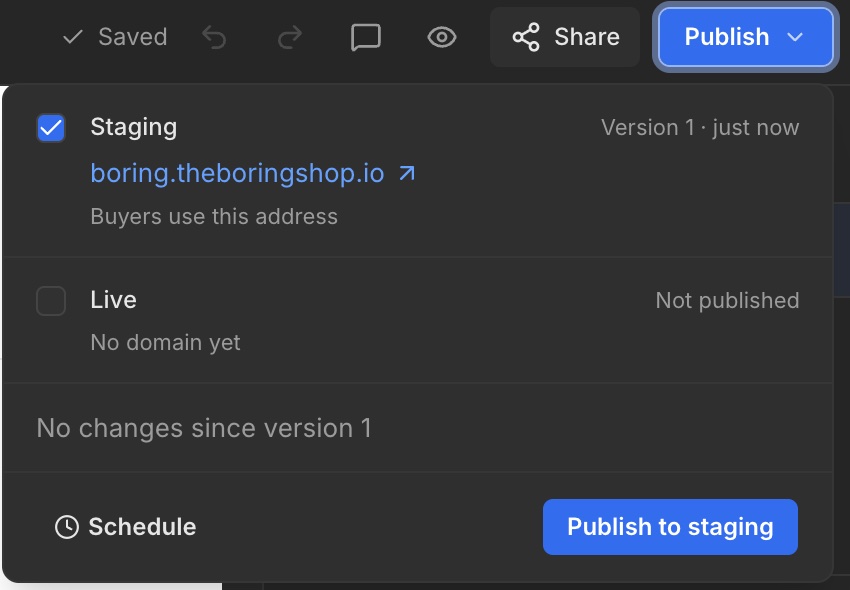
Open your shop in the dashboard and select Versions. This is where your shop version management lives. The editor Publish menu also shows the version associated with a publishing destination.
Saving and publishing
The editor saves your work automatically. A saved change may not yet be published. Check the version and destination domain in Publish.