Open the editor
Get to know the three areas of your workspace.
Opening the editor
Open your shop in the dashboard and click Open editor in the top right.
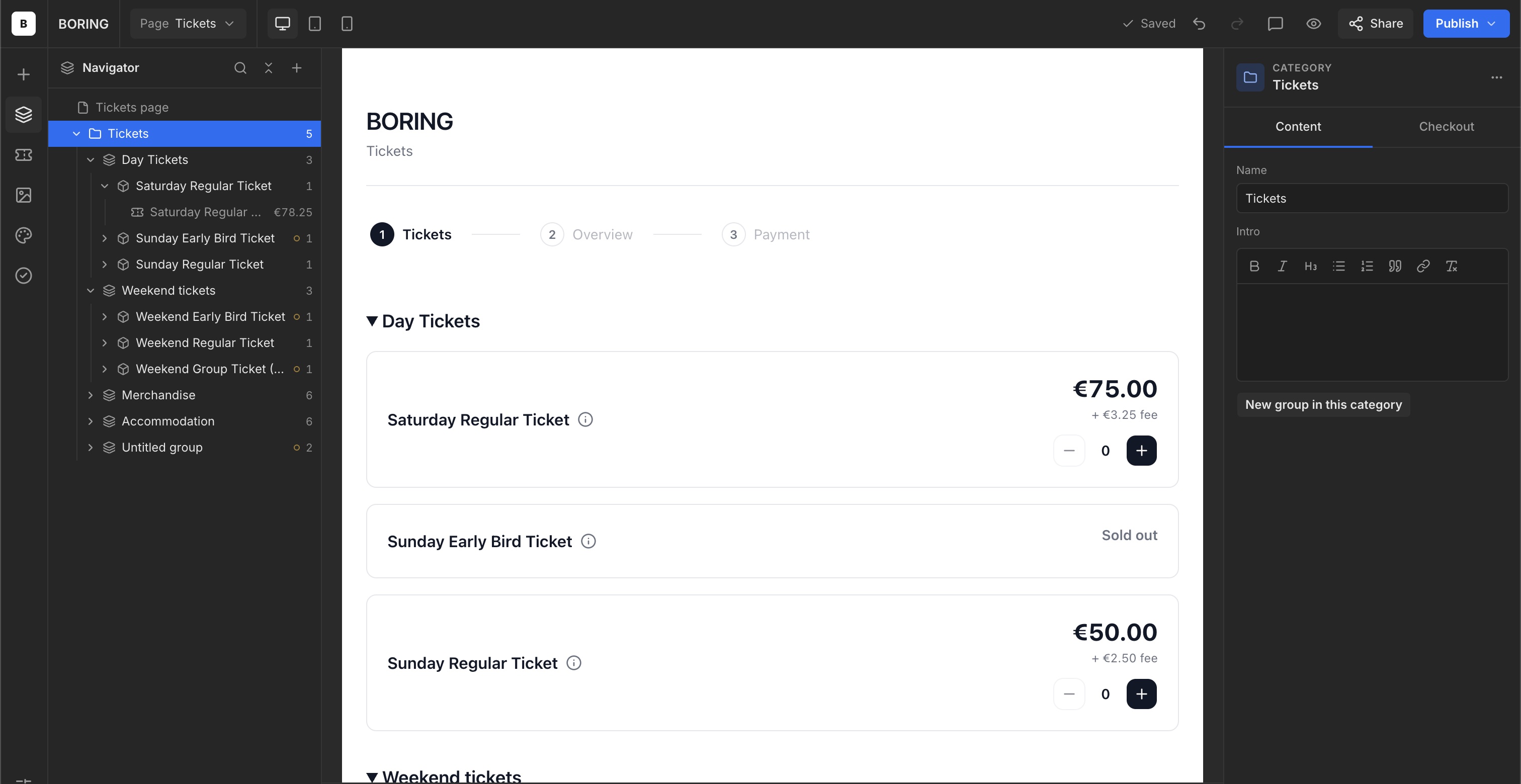
Left, centre and right
Choose a tool and use the Navigator on the left. Your shop appears in the centre. Select an element in the shop or Navigator to show its settings on the right.
Preview different screen sizes
The top toolbar includes desktop, tablet and mobile icons. Use them to view your layout at different screen sizes.