Save and publish
Publish to your test domain first, then your custom domain.
Automatic saving
Changes are saved automatically. The Saved status appears in the top toolbar. Publishing is a separate action through Publish in the top right.
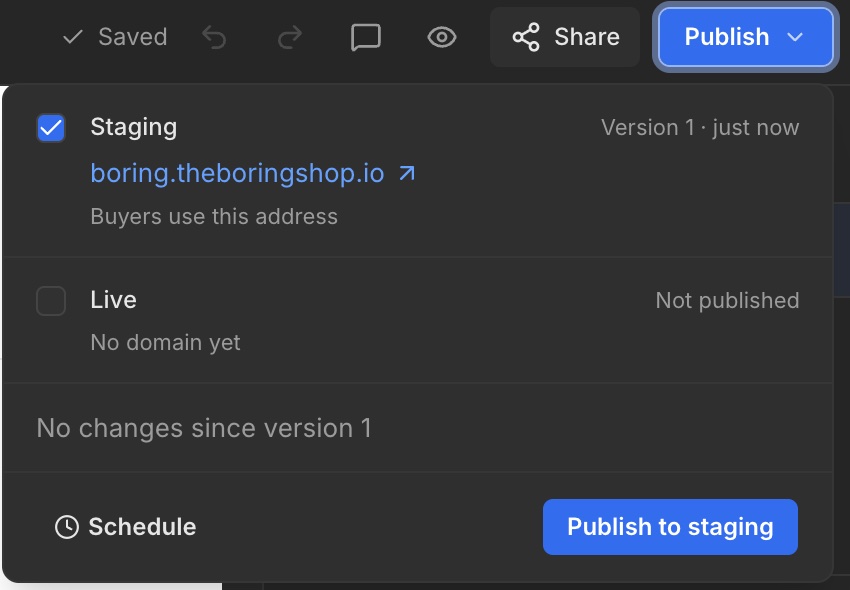
Publish to Staging
- Click Publish in the top right.
- Select Staging.
- Click Publish to staging.
- Open the displayed staging domain and review the result.
Publish to your custom domain
Once your custom domain is connected, you can also publish to Live. Always check the selected destination. The example shows No domain yet under Live: no custom domain has been connected there yet.